


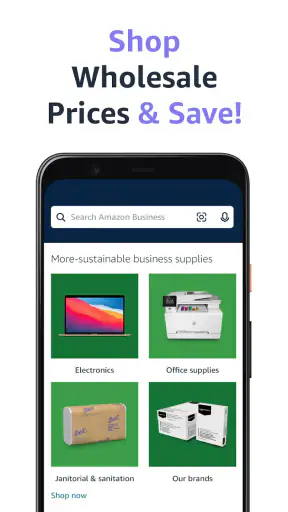

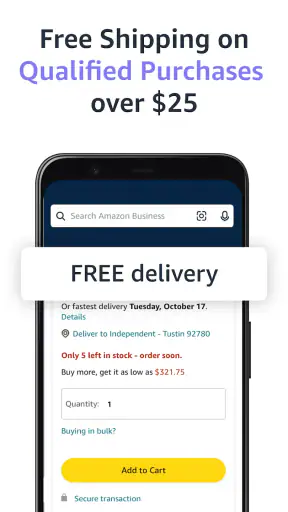
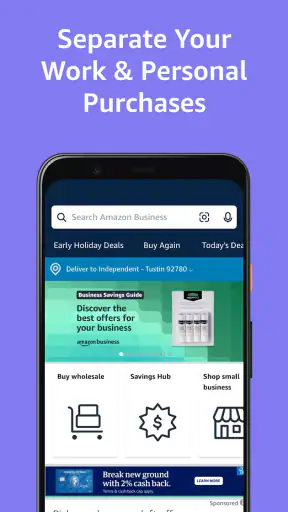
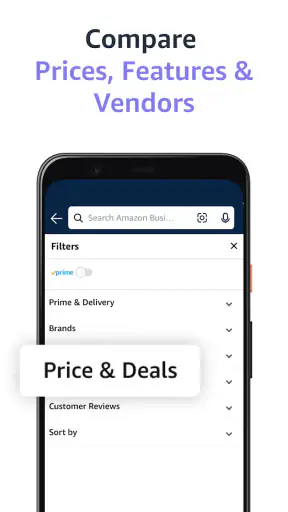
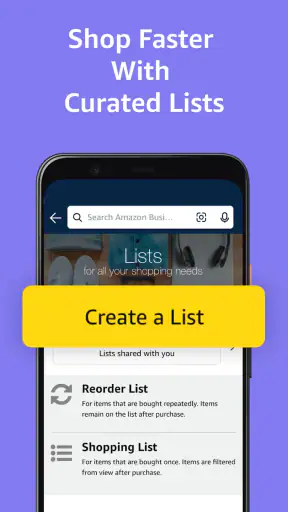
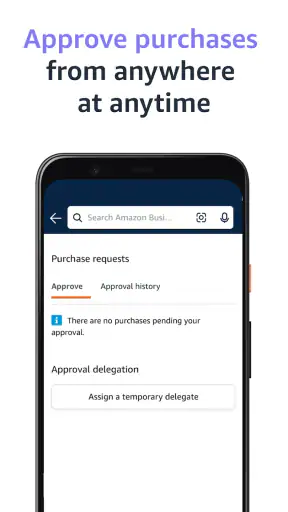

I found Amazon Business: B2B Shopping most useful when I treated it as a mobile purchasing desk rather than a regular consumer shopping app. It is built for business supplies, so the experience feels more practical when I already know what my workplace needs, how many units are required, and who will use them. Instead of browsing casually, I can use it to check products, compare suitable options, and move a purchasing task forward while away from a computer.
That distinction matters. A normal retail app is often designed around personal shopping, recommendations, and quick impulse decisions. This app makes more sense for someone buying for an office, classroom, workshop, small business, or other organized workplace. I would not choose it simply because I want another general marketplace on my phone. I would choose it when business purchasing is part of my routine and I want access to that process from a mobile device.
How the business marketplace feels on a phone
The app comes from Amazon Mobile LLC and is available free of charge. It sits in the shopping category, but its purpose is narrower than a typical consumer storefront: helping users find and purchase supplies for business use. That focus is its main advantage, because the same phone that I use to manage daily work can also handle a supply run without requiring me to sit at a desk.
In my experience, the best results come from entering the app with a clear shopping goal. If I need a particular type of office item, cleaning supply, packaging material, or equipment accessory, the mobile format can shorten the path from need to product page. If I open it without a plan and start browsing, the large marketplace becomes less efficient. Business buying usually rewards a checklist more than casual discovery.
The current version is 32.15.0.451, and the app has reached over five million installs. Its average rating is 4.0 from around sixteen thousand ratings, with roughly fifteen hundred written reviews. Those figures suggest a broadly useful tool with room for individual experiences to vary, which matches how I see it: convenient for organized purchasing, but not automatically simple for every kind of buyer.
When a stable connection makes the biggest difference
Connectivity is central to the experience. Product discovery, page loading, account access, and the steps involved in placing an order all depend on the app communicating with online services. When my connection is strong, the process feels like a portable extension of business administration. I can move between product searches and workplace tasks without needing a separate computer for every decision.
The difference becomes obvious in places where reception is inconsistent. A storage room, delivery area, basement office, or busy trade environment may not provide the same dependable connection as a desk on a wired network. In those surroundings, waiting for product information or trying to continue a purchasing session can interrupt the rhythm of the job. I would avoid starting an urgent order in a location where the signal is already unreliable.
This is also why I recommend preparing before leaving a dependable network. I make a short list of the exact items, sizes, and quantities I need, then use the app to investigate them while the connection is steady. That approach reduces the amount of live searching required when I am standing beside shelves or handling other work. It does not turn the app into an offline tool; it simply makes the online parts less stressful.
A useful habit is to separate research from final purchasing. I can review possible products during a quiet period, note the details that distinguish them, and return to the transaction when I have enough time and a reliable connection. This is especially sensible for business orders where selecting the wrong item creates more trouble than it would in a personal purchase.
Mobile situations where it earns its place
The app is most convincing when I am away from my usual workstation but still responsible for supplies. Imagine running a small repair business and discovering that packaging materials are nearly gone before the next set of jobs. I can check the marketplace from a phone, compare appropriate options, and deal with the purchase before returning to customers. The value is not just mobility; it is keeping a small operational problem from becoming a forgotten task.
Another realistic situation is an office coordinator walking through several rooms before placing a replenishment order. Instead of writing down every item and reconstructing the list later, that person can use the phone while checking what is actually needed. This can reduce memory mistakes, particularly when similar products differ in size, format, or intended use.
I also see a role for teachers, event organizers, and independent professionals who do not have a dedicated procurement department. For them, a mobile business marketplace can make purchasing feel less formal and more manageable. The trade-off is that the user must supply the judgment that a larger purchasing team might normally provide: checking suitability, confirming quantities, and making sure the choice fits the organization’s needs.
On a small screen, product research requires more discipline than it does on a large monitor. I prefer to pause and read the important details rather than relying on the first appealing image or familiar brand. When I am buying for other people, I also keep the original request visible in my notes so that convenience does not replace accuracy.
What happens when the connection or session goes wrong
Network interruptions are the most obvious source of friction. A page may take longer to appear, a search may need to be repeated, or a purchasing step may not respond as expected. I consider this a reason to slow down, not to tap repeatedly. Multiple attempts can make it harder to tell whether an action was accepted, particularly when I am working quickly in a warehouse or public place.
My preferred recovery routine is simple: stop interacting for a moment, check whether the connection has returned, and then verify the current state before continuing. If I was reviewing an item, I reopen the relevant page and confirm the details. If I was near the end of a purchase, I look for clear confirmation before trying again. This avoids the two mistakes I most want to prevent in business shopping: duplicate actions and assuming an unfinished task is complete.
For important purchases, I would also keep a separate record of the request, including the item description and intended quantity. That is not a special function of the app; it is a practical safeguard around it. A phone-based workflow is convenient, but it should not be the only memory of what a workplace asked me to buy.
Recovery is easier when I do not begin with a complicated order while moving between locations. I first test the connection with a small amount of browsing, then continue if pages respond normally. If the network is unstable, I postpone the final step until I can use a more dependable connection. This is one of the clearest differences between casual shopping and business purchasing: a little preparation saves more time than rushing.
Using mobile data without wasting attention
Because the experience is online, I pay attention to where and when I use it. Browsing many product pages over a mobile connection can be less comfortable than doing the same work on reliable Wi-Fi, especially when images and detailed information need to load repeatedly. I prefer to research during a stable connection and reserve mobile data for focused checks, such as confirming a product detail or revisiting a short list.
This approach is useful even for people with generous data plans. The bigger cost is often attention rather than bandwidth. Repeatedly waiting for pages in a noisy workplace makes errors more likely, and business mistakes can lead to wasted supplies or delays. A deliberate workflow—list first, research second, purchase third—keeps the app from becoming an endless scrolling session.
I would also avoid treating every search result as equally suitable simply because it loads quickly. The fastest page to open is not necessarily the right business choice. I look at the product’s intended use, pack size, compatibility, and practical fit for the workplace before deciding. The app can help me reach options, but it cannot replace that evaluation.
For teams, the most useful data-conscious habit is to avoid having several people independently repeat the same research. One person can create a considered shortlist, while the person responsible for approval checks the final choices. That reduces duplicated browsing and makes the mobile process easier to follow. It also creates a clearer division between finding an item and deciding whether it should be purchased.
Where it differs from ordinary shopping alternatives
Compared with a standard consumer shopping app, this one feels better suited to planned business supply runs. The difference is less about the act of viewing a product and more about the reason for doing it. I am not primarily looking for entertainment or personal recommendations; I am trying to solve a workplace need with a reasonable amount of control and speed.
A desktop browser can still be the better option for large purchasing sessions. A bigger screen makes it easier to compare several products, keep notes open, and review details without constantly changing views. If I am assembling a long order or evaluating many similar items, I would rather do the careful comparison at a desk and use the phone for follow-up checks.
A local supplier may also be preferable when immediate availability, personal advice, or a specialized product matters more than marketplace convenience. The app is not a substitute for every business relationship. It is strongest when I need broad online product access and the flexibility to handle the task from different parts of the day.
For a person who only buys occasional household items, the business focus may add little value. The app makes more sense for recurring workplace needs, shared purchasing responsibilities, or anyone who wants to keep supply tasks connected to mobile work. I would skip it if my shopping is entirely personal and I do not need a business-oriented marketplace.
Who should use it and who should be cautious
I recommend it to small-business owners, office managers, independent contractors, educators, and staff members who regularly source supplies. It is particularly helpful when the buyer is mobile, when purchasing is mixed into a busy day, or when a supply request arrives unexpectedly. The free price also makes it easy to try without committing to an app subscription.
I would be more cautious if an organization expects a fully controlled procurement system with extensive internal approval steps, detailed reporting, or a workflow designed around a large purchasing department. A mobile marketplace can support those routines, but it should not be assumed to replace them. The person using it still needs to follow the organization’s own rules for authorization, documentation, and supplier choice.
The Teen content rating is worth noting for households and workplaces that manage device access carefully. It does not change my view of the app’s main purpose, but it is part of the information I would check before installing it on a shared or supervised device.
My practical way of using it
I start with the request written in plain language, then divide it into must-have details and preferences. For example, the required function and quantity come first; color or minor convenience features come later. This prevents an attractive listing from distracting me from the actual business need.
Next, I search while connected reliably and compare only a manageable number of candidates. I pay special attention to whether the item fits the environment where it will be used, because a product that looks suitable on a phone can still be awkward for a particular team. I also take a moment before the final action to check that the selected option matches the original request.
If I am working from a poor signal area, I do not rely on memory. I keep the request and my shortlist available in a separate note, then return to the app when the connection is better. This is a small but important distinction: the app supports mobile purchasing, but a dependable process requires preparation outside the app as well.
Finally, I treat the phone as one part of the purchasing workflow. I use it for access and convenience, while keeping workplace communication and records clear elsewhere. That balance gives me the speed I want without pretending that a marketplace app can solve every administrative problem.
My connectivity verdict
Amazon Business: B2B Shopping is a sensible choice when business purchasing needs to happen beyond the desk. I like it most for focused supply searches, quick checks during a workday, and small organizations where one person may handle several roles. Its online nature is both its strength and its limitation: a good connection makes the experience convenient, while a weak one can turn a simple task into a stop-and-start process.
My final recommendation is conditional but positive. Use it when you have a clear business need, a reliable way to connect, and enough time to verify what you are buying. Use a desktop browser or a local specialist instead when the order is complex, highly specialized, or dependent on immediate personal assistance. For the right buyer, this free shopping app is a practical mobile companion; for casual shoppers, it may be more business-focused than necessary.


